Which pole dance app fits the way you train?
Choose a pole dance app for video classes, move names or progress tracking. Compare Coquet, Fit2Flaunt, POLEPLACE and Spinella, with a practical checklist.
Which pole dance app should you choose?
A pole dance app can offer video classes, a move library, a progress tracker or studio bookings. Choose by the job you need it to do. Coquet brings move references, training programs and a training log together; Fit2Flaunt and POLEPLACE offer guided video learning; Spinella focuses on recording figures and progress.
Coquet is a pole dance app for iPhone. It is available in the App Store.
Who wrote this: the Coquet team. We make one of the products discussed. This is a comparison of use cases, not an independent product test or a claim that one app is best for everyone. Competitor descriptions come from their official websites, checked on 20 October 2026. We have not tested their paid memberships.
Pole dance apps compared by what you need
| Your main need | Option to consider | What to check before joining |
|---|---|---|
| Find moves, follow a program and record practice | Coquet | Available in the App Store for iPhone |
| Follow video tutorials with a training calendar | Fit2Flaunt | Preview the teaching style and check which classes your membership includes |
| Follow a beginner video course at home | POLEPLACE | Check the course, device support and current subscription terms |
| Keep a record of figures and progress | Spinella | Check that its catalogue and progress system match how you record practice |
| Book a place in your regular studio class | Your studio's booking app | Ask the studio which service it uses; a training library does a different job |
A missing feature in a product description does not prove the feature is absent. Rather than award scores for boxes we cannot verify, this guide separates the jobs each product publicly describes.
When you want video classes
Coquet video classes are in production. They are not yet available; we will share availability details when they are ready.
Choose a class platform if you want to press play and follow a teacher through a lesson. Before subscribing, watch a sample and check whether it assumes a home pole, what level it starts at and whether you understand the teaching language.
Fit2Flaunt describes tutorials, a personalised calendar and a community. POLEPLACE describes a beginner course, video tutorials and mobile access for iOS and Android. Check each provider's current terms before subscribing; an introductory trial is different from a permanently free plan.
Do not choose by the number of videos alone. A smaller course that answers your current question can be more useful than a large catalogue you never open. An app also cannot watch your attempt and give the same feedback as a teacher in the room.
When you want a library, a plan and a training log
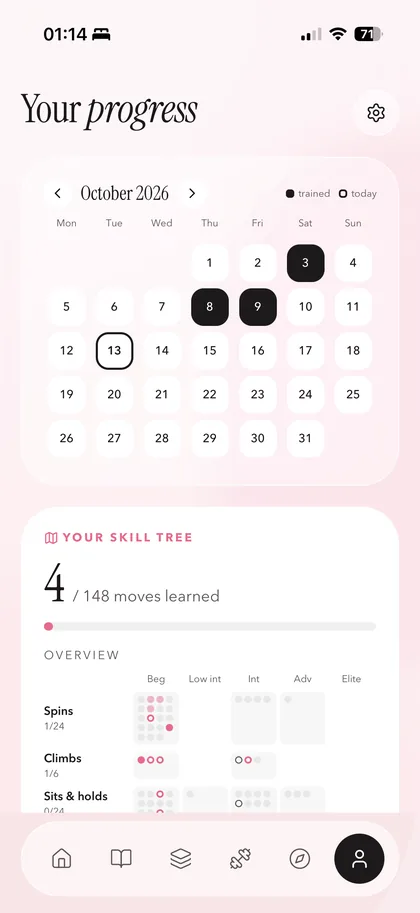
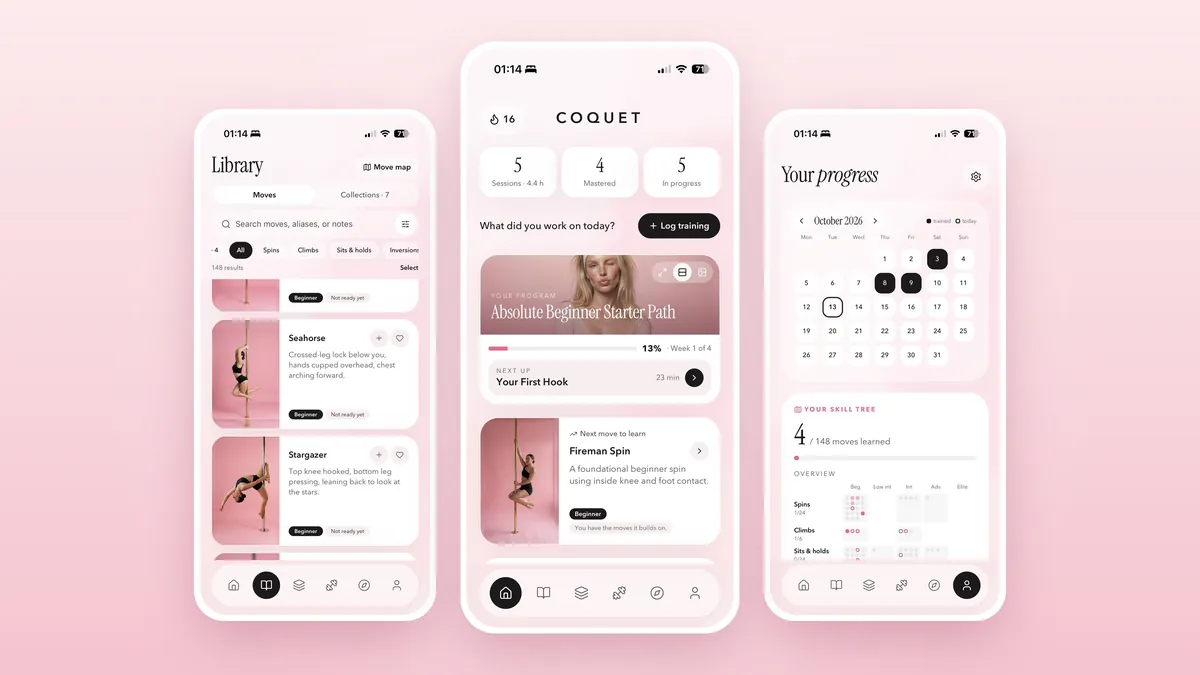
Coquet is being built for the space between studio classes: remembering what a move was called, finding it again and deciding what to revisit. Its library contains 148 moves with levels, descriptions, technique cues and common mistakes. You can mark moves you want to learn, are learning or have achieved.
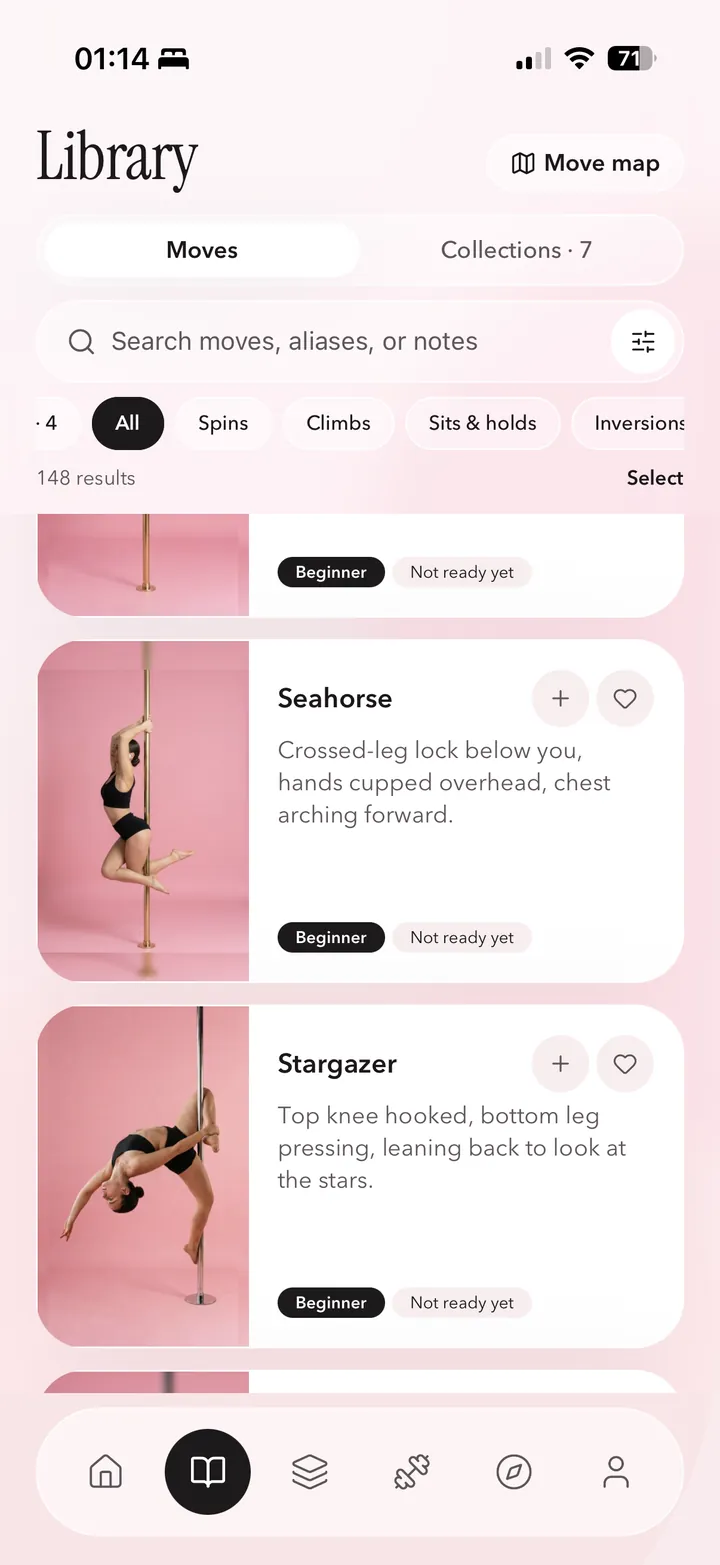
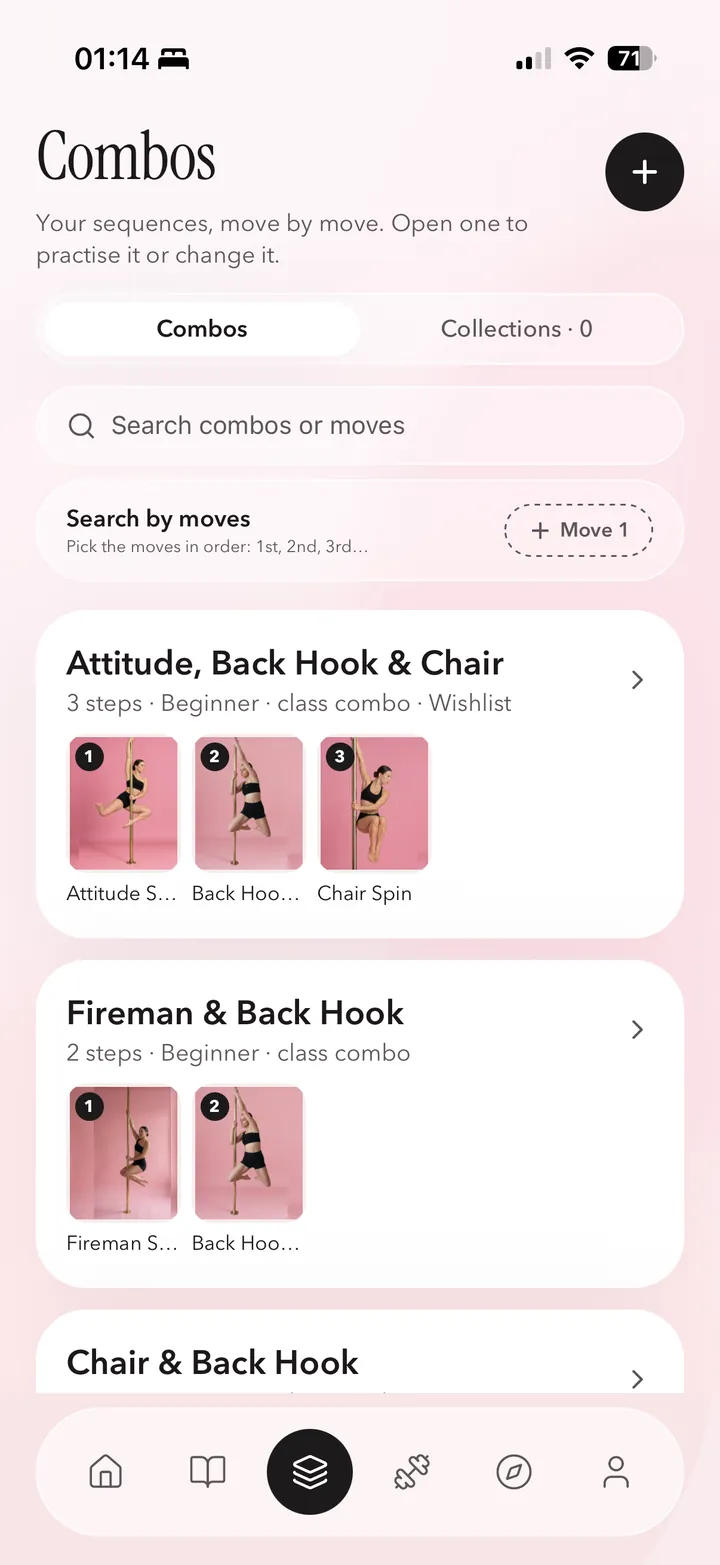
A useful detail from our own library: Fireman Spin is Strażak in Polish, and Chair Spin is Krzesełko. A name you hear in class may differ from the one under a social clip. Keeping names and aliases together makes that clip easier to find again. Coquet's combo data also includes Fireman Spin into Back Hook Spin, so a reference can connect to a named sequence rather than remain a loose bookmark.
For a goal such as first spins or a first climb, Coquet's training programs organise moves, combinations, conditioning and lessons into modules. The progress view brings session history and program progress together. These tools organise practice; they do not certify that a move is safe for you to attempt.
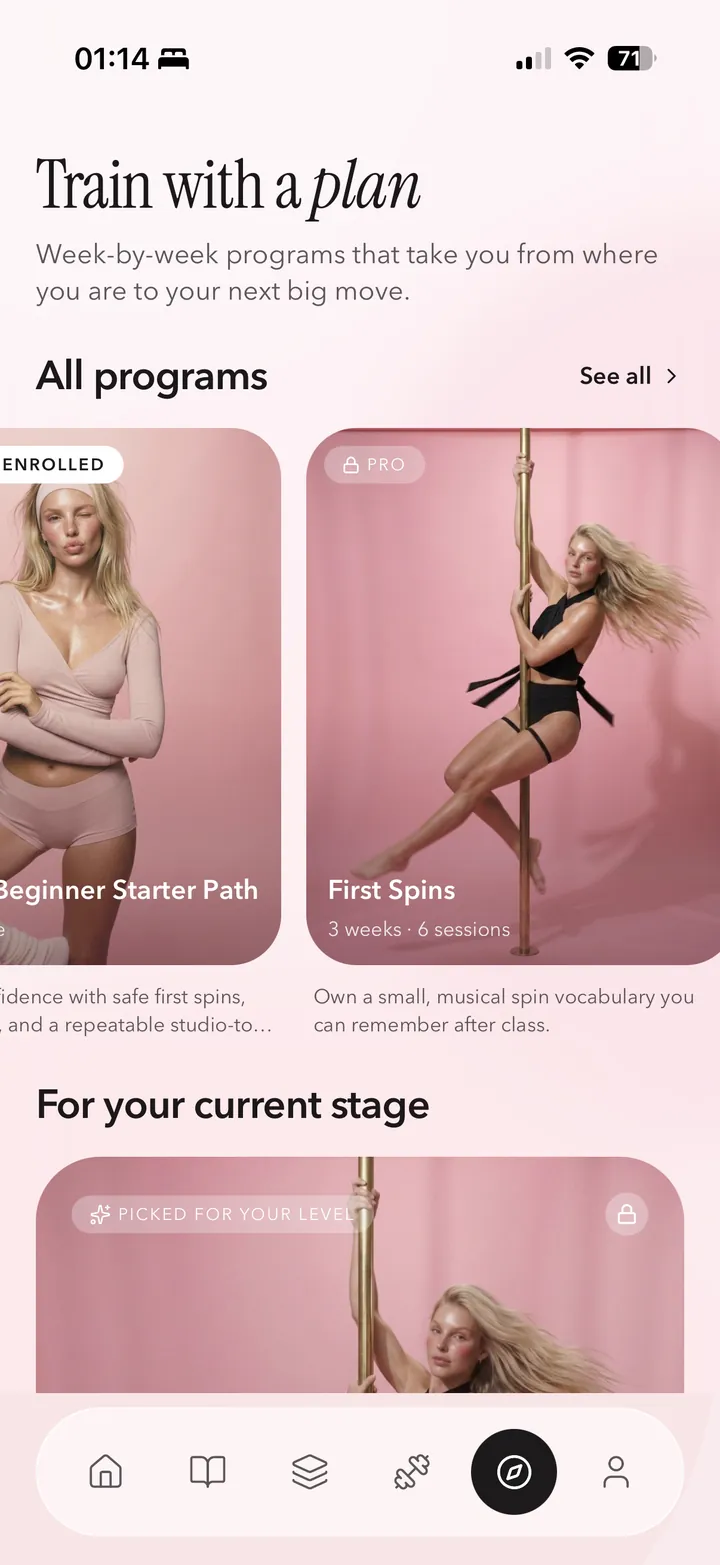
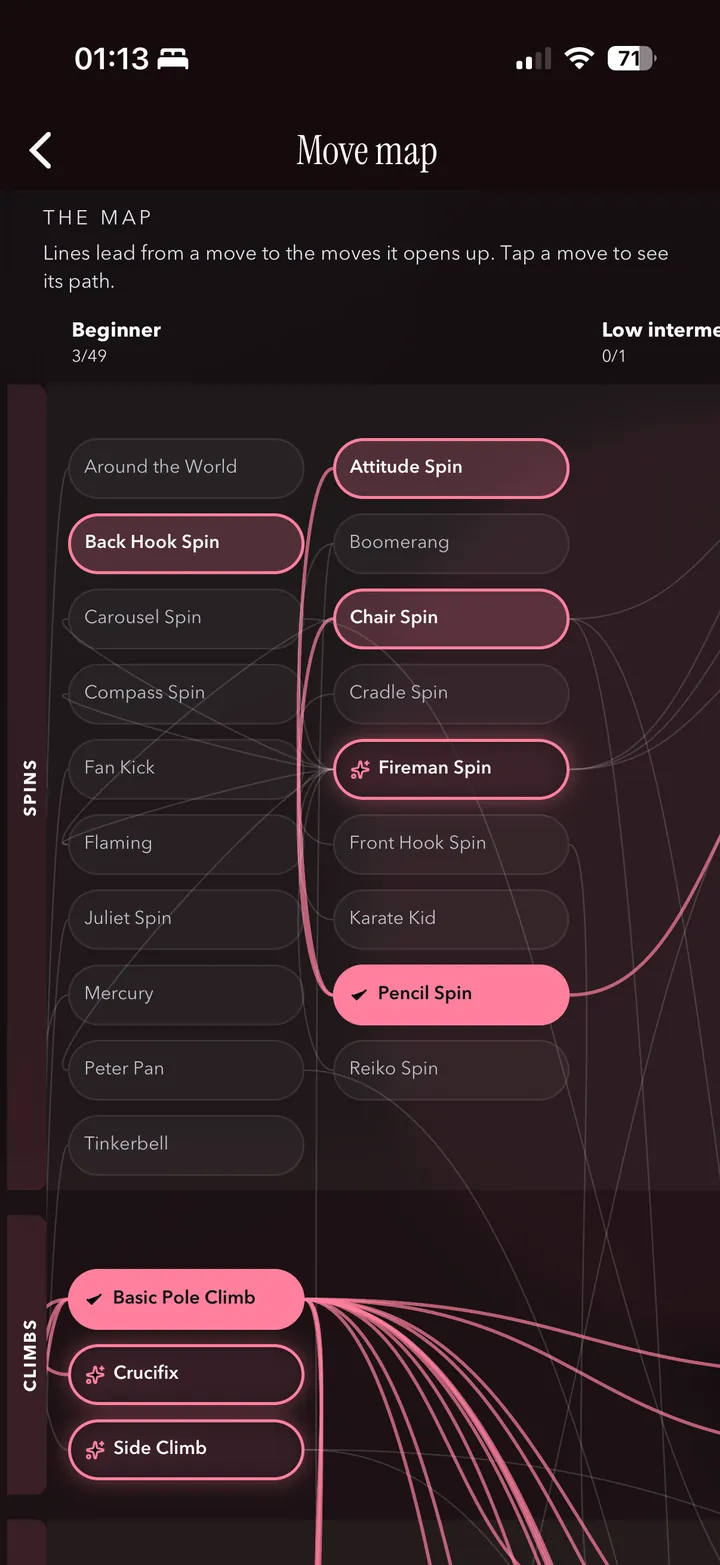
Coquet also has video study controls and instructor tools. It is available in the App Store. Check the current listing for the features included in each plan.
When you mainly want to remember your progress
If you already have a teacher and a practice plan, you may only need a tracker. Spinella presents a figure catalogue, progress records and private photos. Coquet also records move status and sessions, alongside its learning material. Choose the interface you will actually update after class.
Here is a simple test: could you open the app next week and tell which move you practised, which side you worked on and what you want to ask your instructor? If the tool does not store one of those details directly, check whether a short note or your existing notebook can fill the gap. You do not need to move your entire training history into a new service on day one.
Try this before choosing a pole dance app
- Pick one move you already know. Search its class name and any alternative name. Our pole dance moves list can help with terminology.
- Find the next useful action. Can you save the move, record an attempt or find the lesson you need without opening several unrelated menus?
- Check the platform and language. Look beyond screenshots: confirm compatibility with your phone and whether descriptions are available in a language you use comfortably.
- Check the free limits. A free download, a trial and an ongoing free tier are three different offers. Read the renewal terms before starting a subscription.
- Check your recordings. Find out who can see uploaded photos or videos and how you delete them. Do not assume a community post is private.
- Use it for a normal training week. See whether it helps you return to what you learned. Start with our guide to planning pole practice around classes if you need a weekly outline.
Questions about choosing a pole dance app
What is the best pole dance app for beginners?
Choose a guided class service if you need complete video lessons, or a move library and tracker if you want to organise what you learn with an instructor. Check the starting level, language and phone compatibility before paying.
Is there a free pole dance app?
Check whether the offer is a lasting free tier or a limited trial. Coquet offers a free tier alongside Pro. Check the App Store listing for current plan details.
Can I use a pole dance app on Android?
POLEPLACE's official website lists Android and iOS access. Coquet is available in the App Store for iPhone. Always check the current store link and device requirements for the product you choose.
Can I download Coquet now?
Coquet is available in the App Store for iPhone. Search for Coquet in the App Store.
Coquet for iPhone
Available in the App Store
Search for Coquet in the App Store.